Click Through Rate, or YouTube CTR, represents the percentage of people who click to watch your video after seeing the thumbnail. It acts as the gatekeeper to your channel's growth. If people do not click, they cannot see your content, and YouTube will stop recommending it to others.
Understanding and optimizing this metric is essential for any content creator or marketer looking to scale their channel. In this guide, you will learn exactly what CTR means, how to measure it, and practical ways to improve YouTube click through rate so you can get the views you deserve.
What Is CTR on YouTube?
Click Through Rate is a simple metric that measures how effectively your video packaging turns a passerby into a viewer. It tells you how compelling your thumbnail and title are when they appear on a user's screen.
To calculate this number, YouTube uses a straightforward formula: clicks divided by impressions, multiplied by 100. For example, if your video appears on screens 1,000 times and 50 people click on it, your CTR is 5%. You do not need to do this math yourself, though. You can easily find your YouTube Analytics CTR by navigating to YouTube Studio, clicking on Analytics, and checking the "Content" tab.
What Counts as an Impression?
Before you can understand your clicks, you need to understand your impressions. An impression counts only when a user sees your thumbnail on YouTube itself. This includes the YouTube homepage, the subscription feed, search results, and the "Up Next" suggested videos section on the right side of the screen.
However, not every view generates an impression. If someone watches your video embedded on a blog post, clicks a link in an email newsletter, or finds it through an external website, those views do not count as YouTube impressions. Therefore, they do not factor into your official YouTube CTR.
Why CTR Matters
Your click through rate serves as the very first signal YouTube uses to test the viability of your video. When you publish a new piece of content, the algorithm shows it to a small core audience, usually your most active subscribers. YouTube watches closely to see how this group reacts.
If a high percentage of those people click, YouTube interprets the video as highly engaging. The algorithm then pushes the video to a wider audience. If that broader audience also clicks, the cycle continues, creating a snowball effect of reach and recommendations. Without a solid initial CTR, that snowball never starts rolling.
What Is a Good CTR on YouTube?
Creators constantly ask what number they should aim for. The truth is that a "good" CTR varies wildly depending on your niche, audience size, and video topic. However, we can look at some standard benchmarks to help you gauge your performance.
Average CTR Benchmarks
When evaluating your YouTube Analytics CTR, keep these general ranges in mind:
1-4%: This is generally considered low. It means your packaging is not grabbing attention, or YouTube is showing the video to the wrong audience.
4-7%: Most successful channels consider this an average or good click-through rate. It shows steady interest.
8-10%: This is a strong CTR. Your thumbnail and title are highly effective, and your core audience is highly engaged.
10%+: A CTR this high is excellent, but it usually only happens in highly specific niches or during the very early testing phase of a video before it reaches a broader audience.
Why CTR Drops Over Time
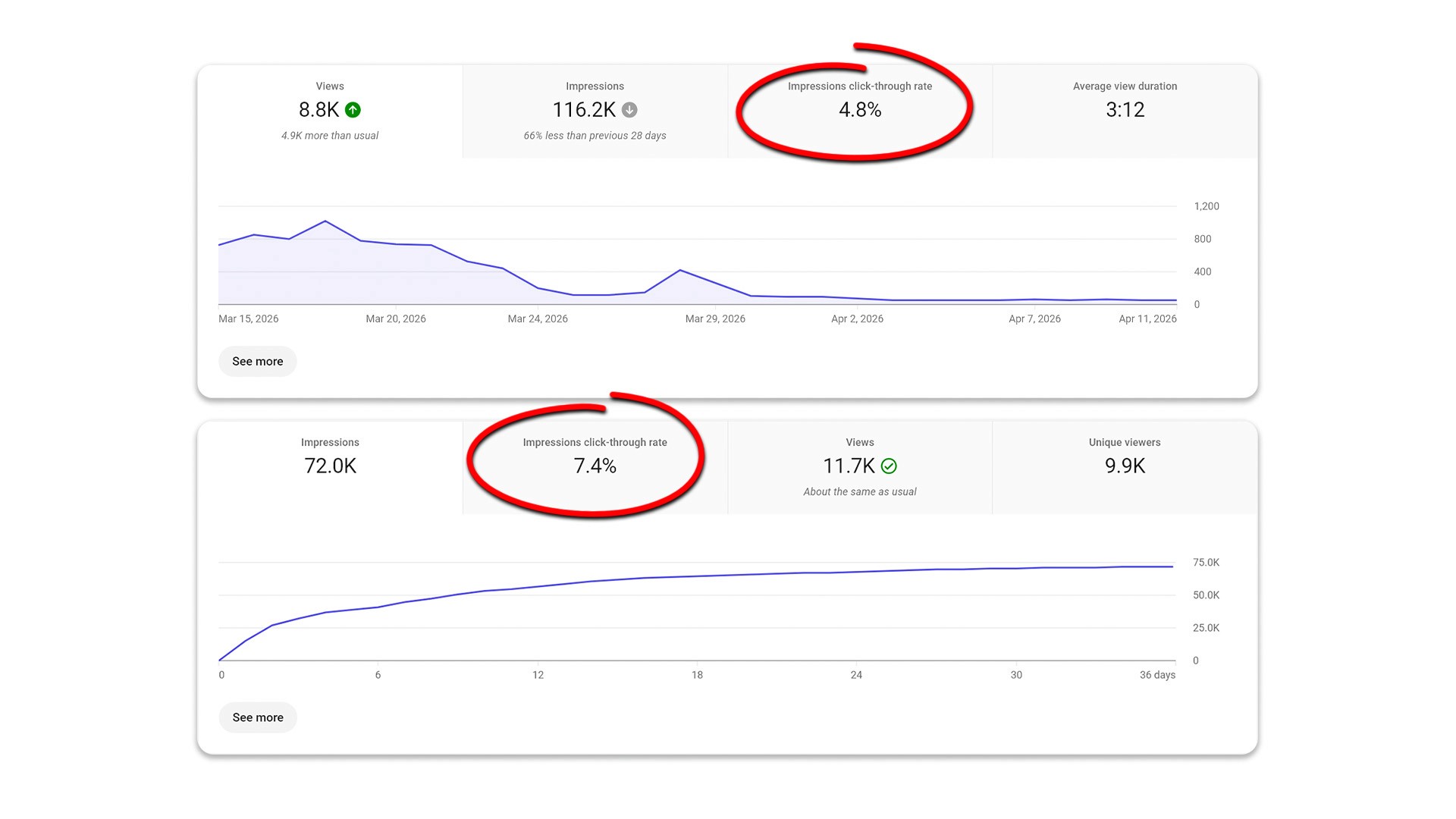
Do not panic if you see a 12% CTR on day one, only to watch it drop to 5% by day three. This is a completely normal part of the video lifecycle.
When you first publish, YouTube shows the video to your biggest fans. Naturally, they click at a high rate. As the algorithm pushes your video to a broader, less familiar audience, fewer people will click. A dropping CTR is often a sign that your video is actually scaling and reaching new viewers.
CTR vs Watch Time - What Matters More?
Many creators obsess over getting the click, but CTR is only half of the equation. Once someone clicks, you have to keep them watching. This brings us to the ultimate YouTube debate: which matters more, CTR or watch time (retention)?
The answer is that they work together, not separately. If you use a misleading thumbnail to generate a massive CTR, viewers will quickly realize the video does not deliver on its promise. They will click away within seconds. This results in a high CTR but low retention. YouTube recognizes this as a terrible signal often called clickbait and will quickly stop recommending the video.
Conversely, you might have a video with incredible retention but a low CTR. This means the few people who click love the content, but the packaging fails to attract the masses. True channel growth happens when you achieve a balanced CTR combined with strong viewer retention.
Main Factors That Affect CTR
Improving your click-through rate requires a holistic approach. You need to look beyond just the graphic design of your thumbnail and consider the entire package. Here are the main factors that influence whether someone decides to click.
Thumbnail Quality
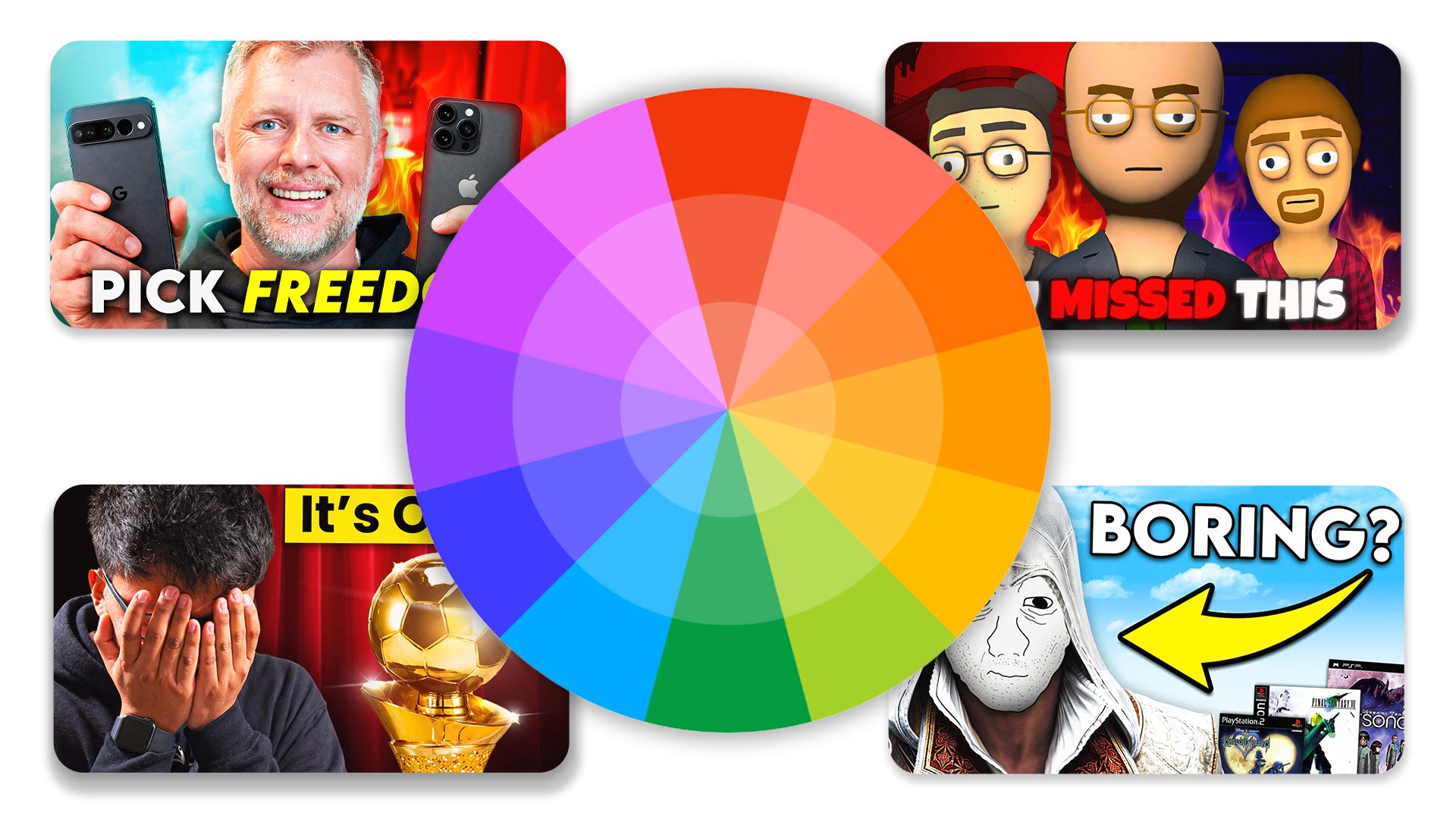
The thumbnail is the very first thing people see while scrolling. It needs to stand out in a sea of competing videos. The best YouTube thumbnail tips revolve around visual clarity, high contrast, and genuine emotion.
Keep your design simple. Use contrasting colors to make the subject pop off the background. If you include a face, ensure the expression is clear and matches the tone of the video. Avoid cluttering the image with too many elements or tiny text that becomes unreadable on mobile devices.
Title Quality
Your title works directly with your thumbnail to secure the click. While the thumbnail grabs attention, the title adds necessary context. A great title creates curiosity or clearly states the value the viewer will get by watching.
Keep your titles concise. Place the most important words near the beginning so they do not get cut off on smaller screens. Avoid confusing jargon and make sure the title sounds natural and enticing to a human reader.
Topic & Idea
Even the most perfectly designed thumbnail and brilliantly written title cannot save a weak video idea. If the underlying topic does not interest your target audience, they will not click.
Spend more time validating your ideas before you hit record. Look at what performs well in your niche, read comments to find common questions, and ensure your concept has mass appeal within your specific community.
Audience Fit
Your CTR depends heavily on how well your content matches audience expectations. If a subscriber follows you for personal finance tips, and you suddenly upload a gaming vlog, your click-through rate will plummet. Consistency helps train your audience to click whenever they see your face or branding.
Match Thumbnail to Title
One of the biggest mistakes creators make is repeating the exact same text in their thumbnail and their title. This wastes valuable real estate. Instead, make sure they complement each other.
If your title is "How to Fix a Leaky Faucet in 5 Minutes," your thumbnail text could simply say, "Stop the Drip!" This combination tells a complete story and builds intrigue without being redundant.
Key Metrics to Watch
To consistently improve YouTube click-through rate, you must track the right data. Pay close attention to these three metrics:
CTR: To gauge initial packaging success.
Impressions: To see if YouTube is actually testing your video.
Retention: To ensure your content delivers on the thumbnail's promise.
When to Change a Thumbnail
Sometimes, a video underperforms right out of the gate. If your analytics show high impressions but a very low CTR (under 3%), your packaging is likely the culprit.
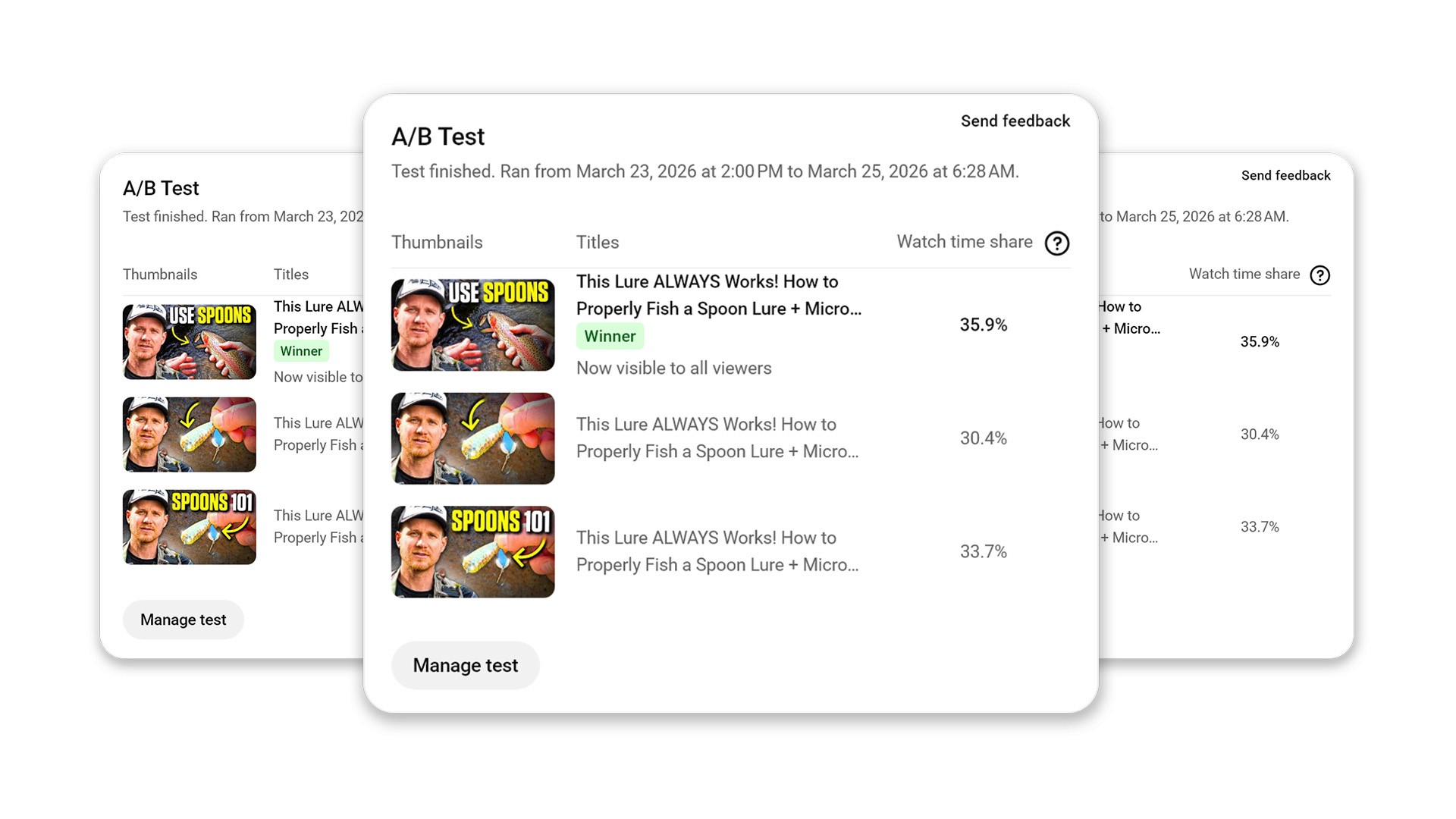
Consider changing the thumbnail and title after 24 to 48 hours. Many top creators prepare two or three backup thumbnails before publishing. Swapping out a poorly performing thumbnail can often breathe new life into a stagnant video.
Final Thoughts
Your click through rate is the ultimate entry point to channel growth. Without that initial click, the quality of your video editing, scripting, and camera work simply does not matter. You need both clicks and retention to succeed on the platform.
Stop treating your thumbnails and titles as an afterthought. Give your packaging the same time and attention you give to the content itself. By consistently testing new designs, tracking your analytics, and focusing on audience intent, you will steadily improve your CTR and reach a much wider audience.
Frequently Asked Questions
What is CTR on YouTube?
CTR (Click-Through Rate) is the percentage of people who click your video after seeing the thumbnail appear on their screen.
What is a good CTR on YouTube?
Most channels see 4-6% as a solid average. Anything consistently above 6% indicates highly effective packaging and strong audience interest.
Why is my CTR low?
A low CTR is usually due to weak or cluttered thumbnails, unclear titles, or poor topic selection that does not resonate with your target audience.
Can CTR be too high?
Yes, if it leads to low retention. If you use misleading, clickbait thumbnails, people will click but leave immediately, which hurts your channel's standing with the algorithm.
How fast should I improve CTR?
You can see noticeable improvements within just a few uploads if you study your analytics and test different thumbnail styles consistently.
Recent Blog